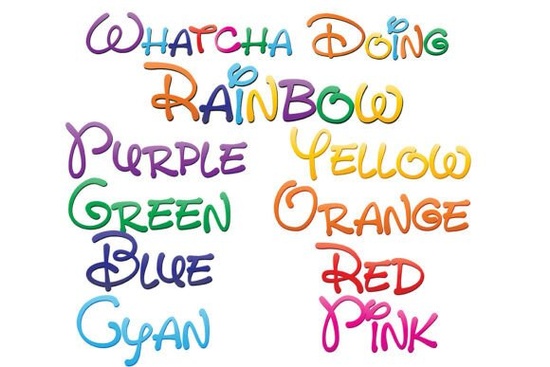
If you're looking for a font that adds a playful and colorful touch to your designs, the Whatcha Doing Font is a great choice. This unique set of nine full-color fonts brings a whimsical, hand-written style to your projects, making it perfect for designers, crafters, and print-on-demand sellers who want to add a bit of personality to their work.
What Makes Whatcha Doing Font Special?
The Whatcha Doing Font stands out with its distinctive, hand-written print created in a gradient of 8 colors of the rainbow. Each color is a separate font, and there's even a ninth font that combines all 8 colors. This variety allows you to pick the perfect shade or mix them all for a vibrant, eye-catching effect.
How to Install and Use Full-Color Fonts
Installing the Whatcha Doing Font is straightforward. For Mac users, you can use FontBook, while Windows users can install it via the Control Panel or a preferred font manager. Once installed, these OpenType full-color (SVG) fonts can be used like any other .otf font. However, keep in mind that they will show as black in non-compatible programs. To see the full-color effect, make sure you are using a compatible program such as Adobe products, Silhouette Studio, Quark, or Inkscape.
Compatibility and Support
Not all design software supports full-color SVG fonts. If you type in a document and see the text in color, your program is compatible. Commonly supported programs include Adobe Photoshop, Illustrator, and InDesign, as well as Silhouette Studio, Quark, and Inkscape. If you're unsure, you can always check the documentation or support forums for your specific software.
Adding Personality to Your Designs
Full-color SVG fonts like Whatcha Doing Font are a fantastic way to add a personal touch to your projects. Whether you're creating a simple text logo, a complex illustration, or just adding some flair to your social media graphics, these fonts can help you achieve a unique and vibrant look. The vector-based nature of SVG fonts also means they can be scaled to any size without losing quality, making them versatile for both digital and print use.
Using Whatcha Doing Font in Different Projects
Here are a few ideas on how you can use the Whatcha Doing Font in your creative projects:
- Logo Design: Create a colorful and memorable logo for a brand or event.
- Social Media Graphics: Add a fun and engaging element to your posts and stories.
- Print-on-Demand Products: Use the font to create unique t-shirts, mugs, and other merchandise.
- Invitations and Greeting Cards: Make your invitations and cards stand out with a colorful, hand-written style.
- Illustrations and Artwork: Incorporate the font into your illustrations for a more personalized and artistic touch.
Exploring More Colorful Fonts
If you love the Whatcha Doing Font, you might also enjoy exploring other colorful fonts available at Creative Fabrica. Check out the Whatcha Doing Font and other similar options to find the perfect match for your next project.
Tips for Using Full-Color Fonts Effectively
To get the most out of full-color fonts like Whatcha Doing Font, here are a few tips:
- Test Compatibility: Before starting your project, test the font in your chosen software to ensure it displays in full color.
- Use High-Resolution Images: When exporting your designs, make sure to use high-resolution settings to maintain the quality of the font.
- Experiment with Colors: Don't be afraid to mix and match the different colors to create a unique and eye-catching design.
- Keep It Simple: While full-color fonts are vibrant, it's important not to overdo it. Use them sparingly to highlight key elements in your design.
By following these tips and exploring the Whatcha Doing Font, you can add a delightful and colorful touch to your creative projects. Happy designing!
Explore Design Crafting Baseball Themes with Classic Typography
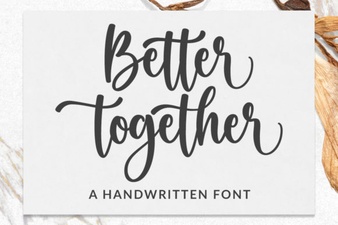 Better Together Font: Creative Pairing Ideas
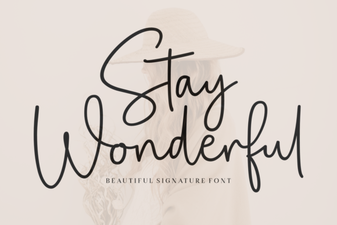 Stay Wonderful Font for Creative Designs
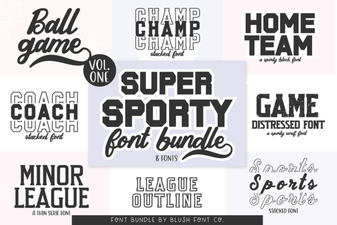 Craft Bold Designs with the Super Sport Bundle Font
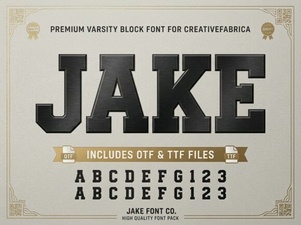 Jake Font: Creative Projects for Your Designs
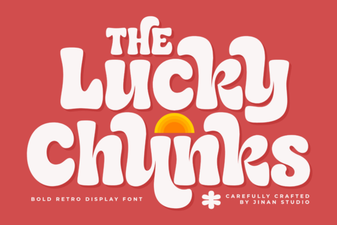 Creative Projects with Lucky Chunks Font